
Better writingthat sounds like you.
Nibumi fixes your grammar, keeps your personal voice, tells you what to reply, and works in multiple languages.





Trusted by 1,000+ writers
Features
Nine reasons to switch.
Everything you expect from a writing assistant, plus what the others don't do.
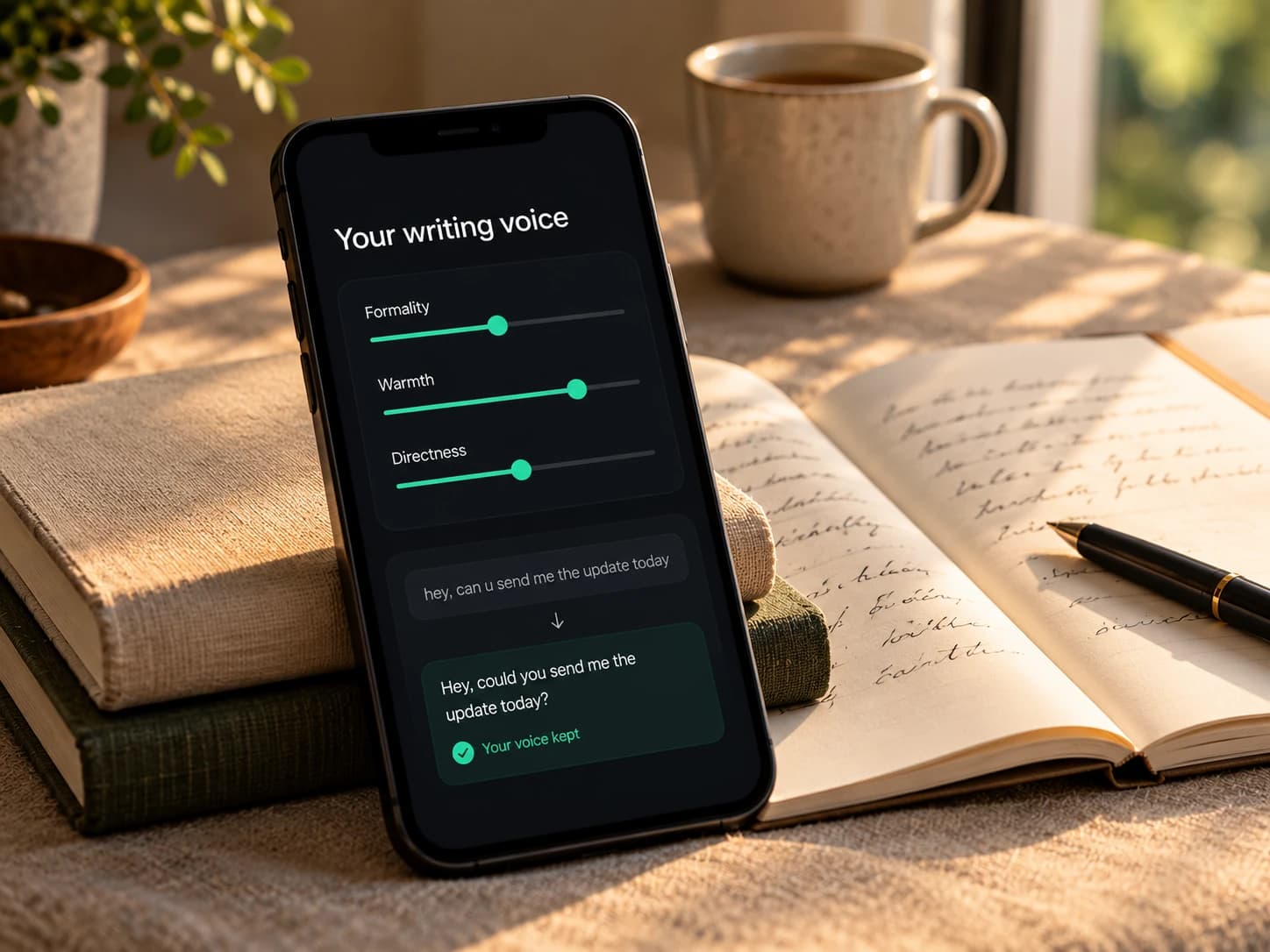
Personal Voice AI
Nibumi learns how you write from your own samples and edits, then keeps your style in every suggestion. Better, but still you.
How it helps
- Suggestions sound like you, not a robot
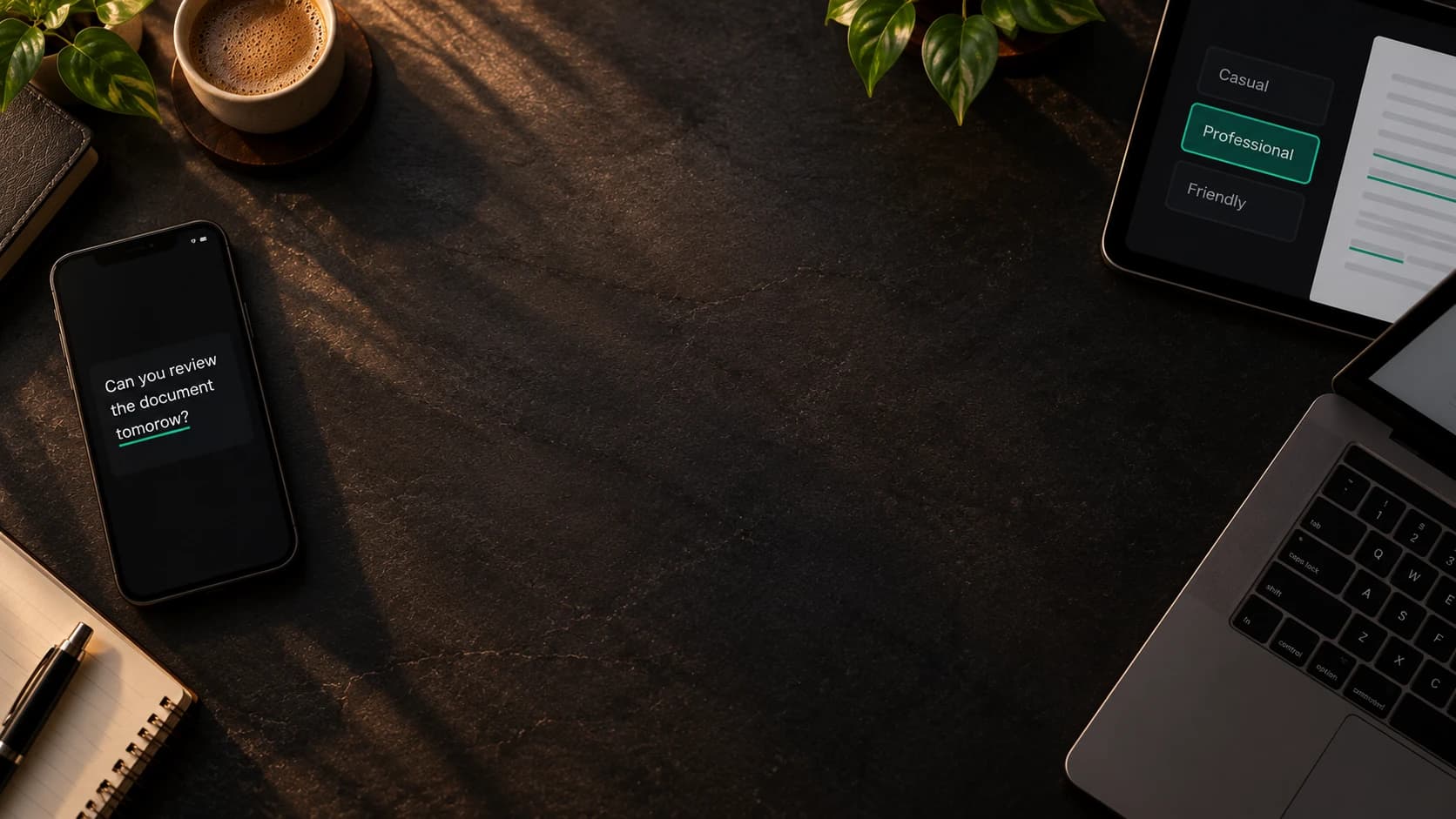
- Five tones: casual, professional, friendly, concise, persuasive
- Compare your original with Nibumi's version side by side
Works inExtensionWeb app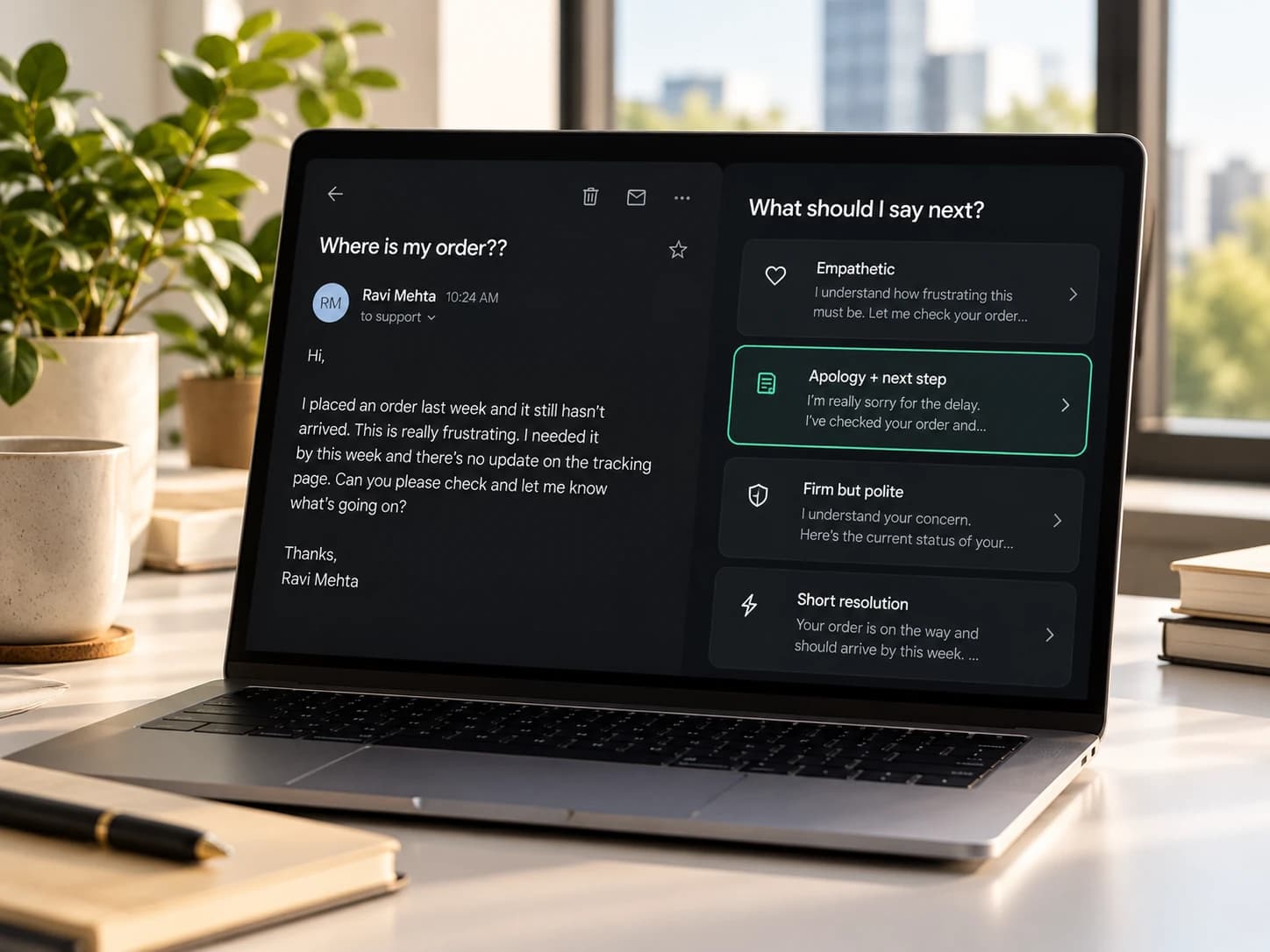
Reply Copilot
Select an email thread and ask "What should I say next?". Get 3–4 reply strategies, not just one rewrite.
How it helps
- Understands the thread you select
- 3–4 reply strategies for the situation
- Edit before inserting
Works inExtensionWeb app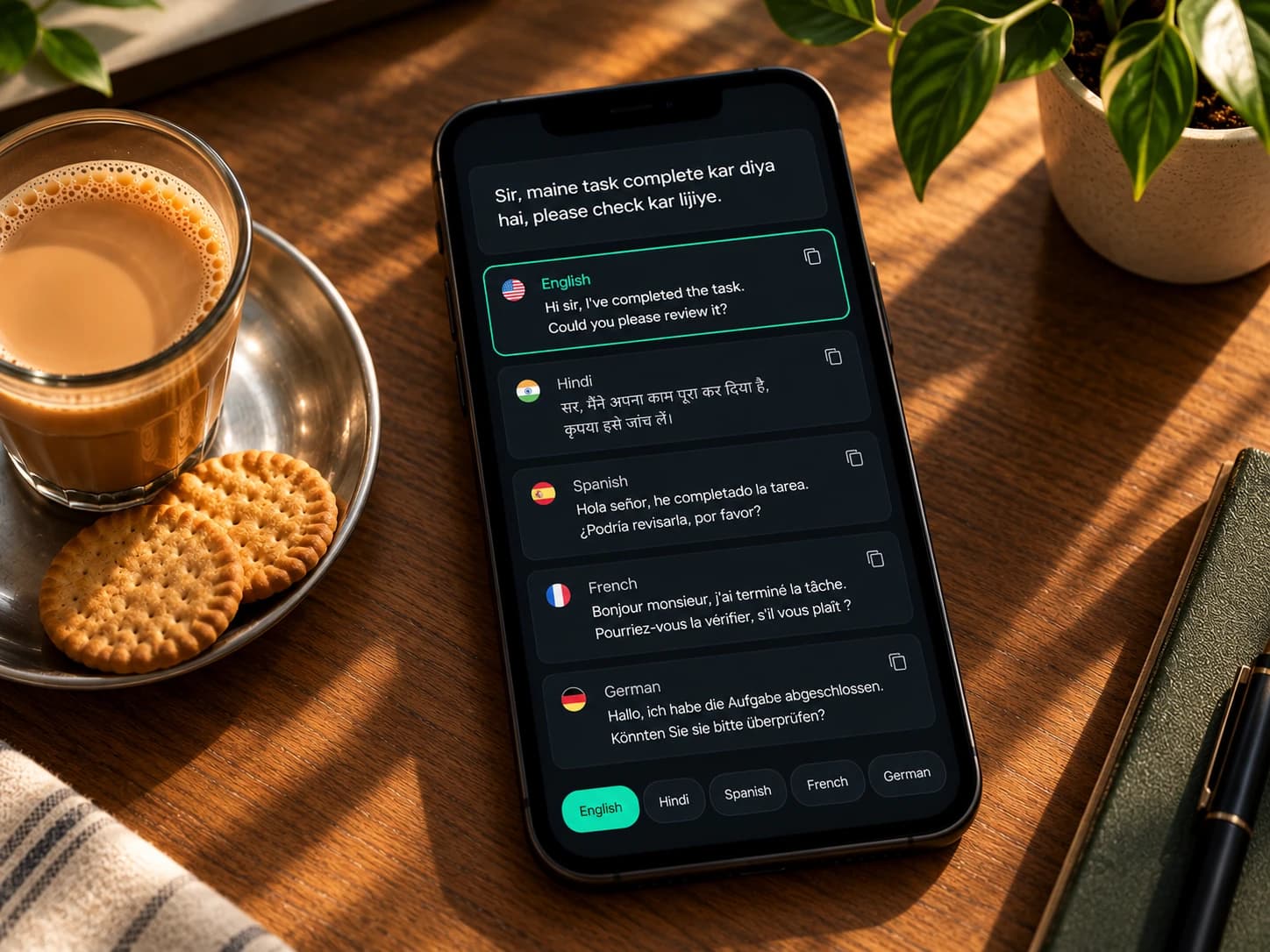
Hinglish & multilingual
Write the way you think. Nibumi turns mixed-language text into polished English, polite Hinglish or formal Hindi, keeping meaning and respect.
How it helps
- English, Hinglish and Hindi done well
- You control how much mixing to keep
- Keeps respect and politeness, not just words
Works inExtensionWeb app
Many languages, one assistant
Not just English. Write in English, Hindi or Hinglish and get suggestions in the same language, or switch the output language in one click.
How it helps
- Grammar, tone and rewrites in English, Hindi and Hinglish
- Switch the output language in one click
- More languages and mixed-language pairs on the way
Works inExtensionWeb app
Never in the way
Pick Silent, On-demand or Live mode. Pause anytime. Nibumi helps when you want it, and stays quiet when you don't.
How it helps
- Silent, On-demand and Live modes
- Floating toolbar: Fix, Rewrite, Shorten, Tone, Translate
- Pause switch and lightweight mode
Works inExtensionWeb app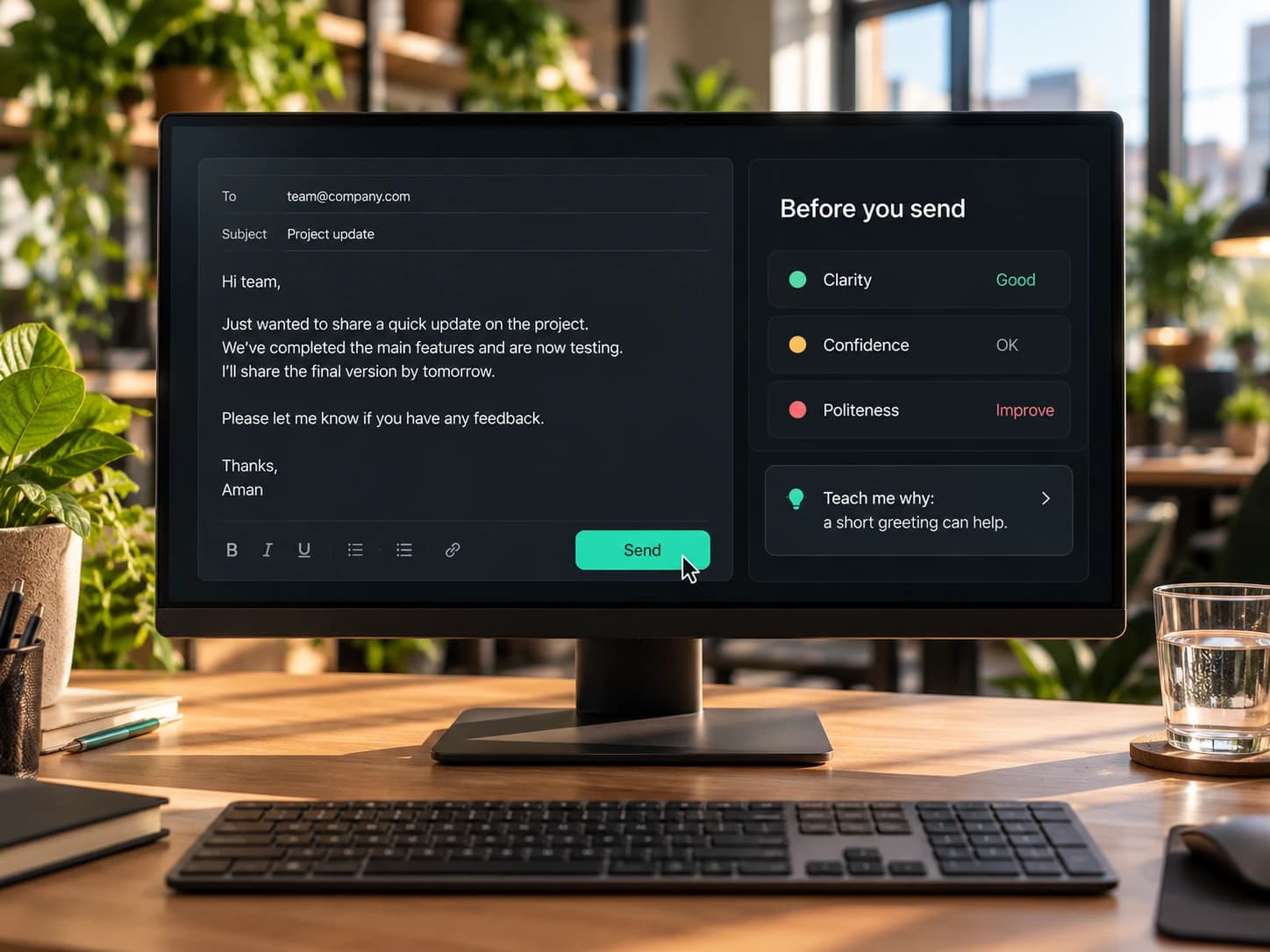
Communication Coach
Before you hit send, see how your message lands: clarity, politeness, confidence and more. Turn on "Teach me why" to learn as you go.
How it helps
- Feedback on clarity, directness, politeness, confidence, persuasiveness and ambiguity
- "Teach me why" explains each fix in one line
- Quick-fix or learning mode
Works inExtensionWeb app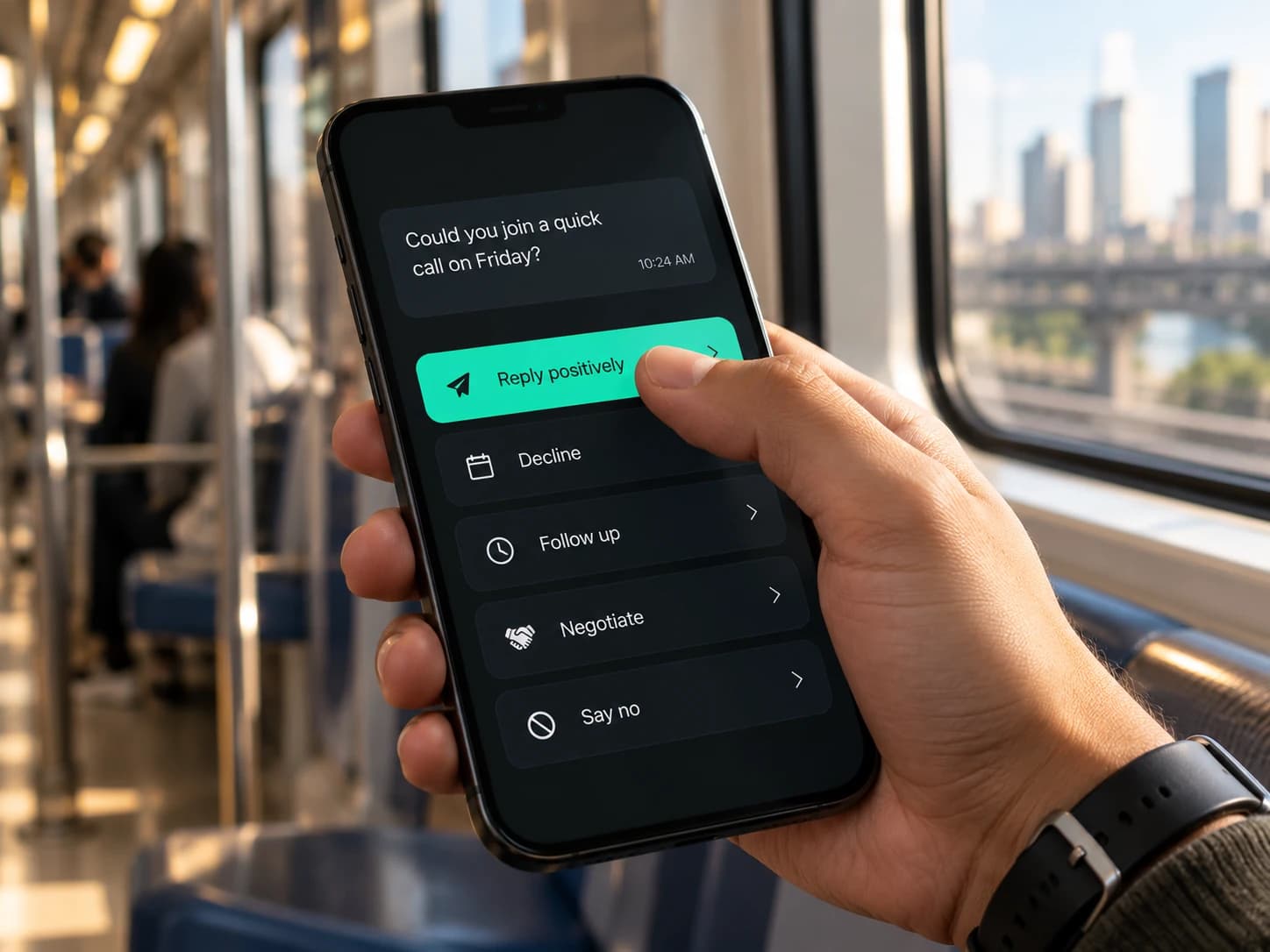
One-click replies
Select any message and tap Reply positively, Decline, Follow up, Negotiate or Say no. Edit, then insert.
How it helps
- Reply positively, Decline, Ask to clarify, Follow up, Negotiate, Say no, Thank them, or Custom
- Works on Gmail and LinkedIn messages
- Always editable before inserting
Works inExtensionWeb app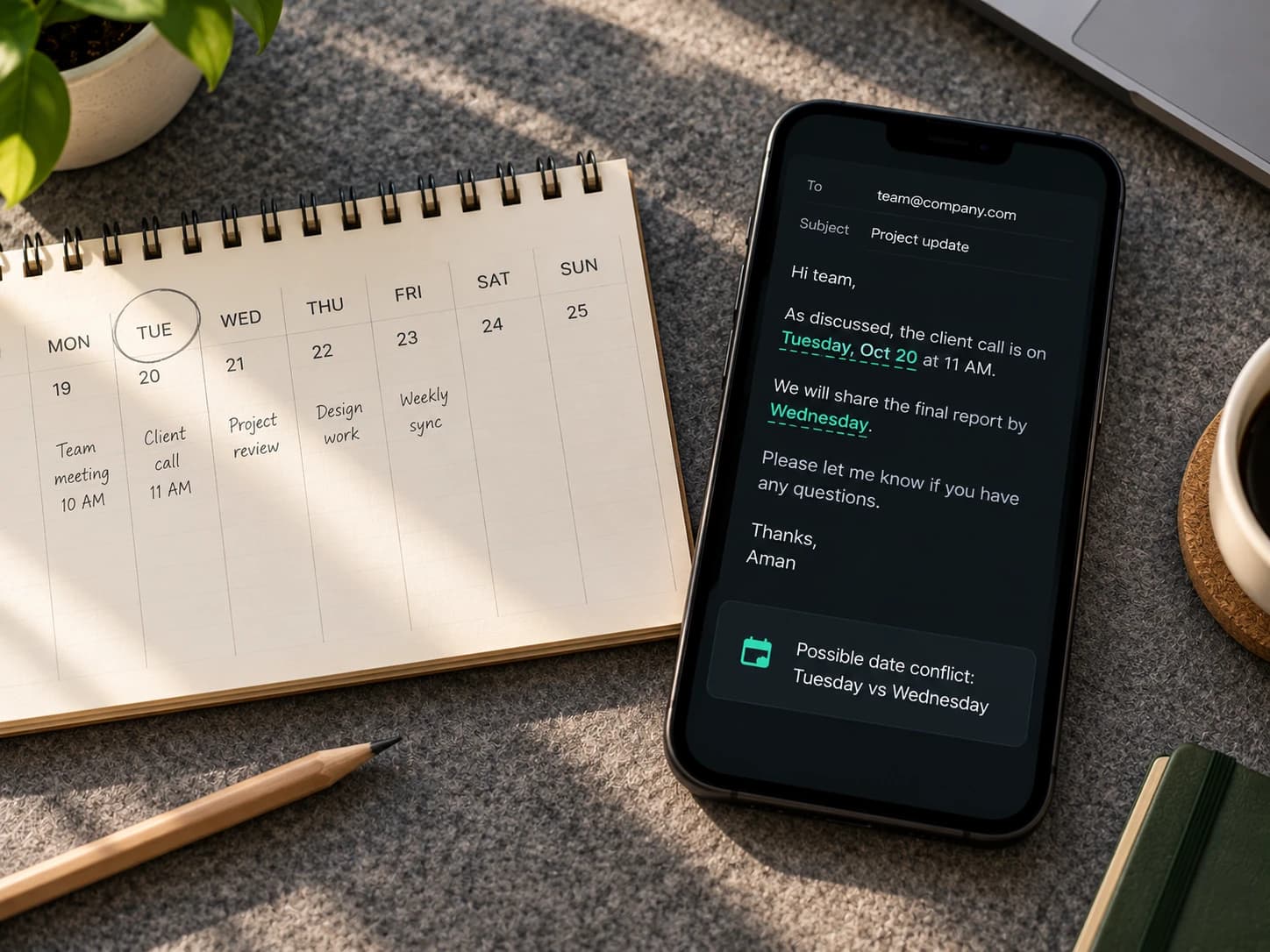
Consistency Checker
Catches what grammar tools miss: a date that says Tuesday in one place and Wednesday in another, or two different amounts.
How it helps
- Flags conflicting names, dates, amounts and deadlines
- Spots contradictions and missing details
- Shown as possible issues, never as guaranteed facts
Works inExtensionWeb app
A third of the price
Every feature for $10 a month, or $5.83 a month billed yearly. Grammarly Pro costs $30 a month.
How it helps
- One plan with every feature, no locked extras
- Save 67% vs Grammarly Pro every month
- 1-month free trial, no card needed
Works inExtensionWeb app
The basics
Everything a writing assistant does. Done right.
15 essentials, included in every plan.
Correctness
Grammar & spelling
Real-time fixes for grammar, spelling and typos as you type.
ExtensionWeb appPunctuation
Commas, apostrophes, hyphens and run-ons, sorted.
ExtensionWeb app
Clarity & style
Clarity
Shorter, clearer sentences without losing meaning.
ExtensionWeb appWord choice
Stronger, more precise words and less repetition.
ExtensionWeb appFull-sentence rewrites
Rewrite a clunky sentence or paragraph in one click.
ExtensionWeb appFluency
Fixes phrasing that's correct but sounds unnatural.
ExtensionWeb app
Tone & AI writing
Tone detector
See how your message sounds before you send it.
ExtensionWeb appTone adjust
Switch to casual, professional, friendly, concise or persuasive.
ExtensionWeb appAI writing
Draft, reply, summarize or expand from a short prompt.
ExtensionWeb app
Tools
Plagiarism check
Compare your text with sources on the web.
Web appAI-content check
Estimate whether text reads as AI-generated.
Web appCitations
APA, MLA and Chicago citations in seconds.
Web appDictionary & snippets
Your words, your rules, your reusable text.
ExtensionWeb appWriting insights
Weekly stats on accuracy, vocabulary and tone.
ExtensionWeb appWorks everywhere
Gmail, LinkedIn, most text boxes and our web editor.
ExtensionWeb app
1-month free trial · Cancel anytime
Write the way you think
Hinglish in. Perfect English out.
Or polite Hinglish. Or formal Hindi. You choose.

Your message · Hinglish
Sir, maine task complete kar diya hai, please check kar lijiye.
Nibumi's version
Hi sir, I've completed the task. Could you please review it when you get a chance?
What should I say next?
Don't just fix replies. Choose the right one.

Ravi Mehta
ravi.mehta@mail.com
Where is my order??
I ordered 10 days ago and still nothing. Your tracking link doesn't even work. This is really frustrating. I need this by Friday or I want a refund.
Reply Copilot
Select the thread, then ask Nibumi what kind of reply fits.
One-click replies
- Reply positively
- Decline
- Ask to clarify
- Follow up
- Negotiate
- Say no
- Thank them
Chrome extension
Nibumi, right where you write.
Works in Gmail, LinkedIn and most text boxes in Chrome.
Already installed? Connect your account
Works in Chrome, Edge and Brave on desktop.

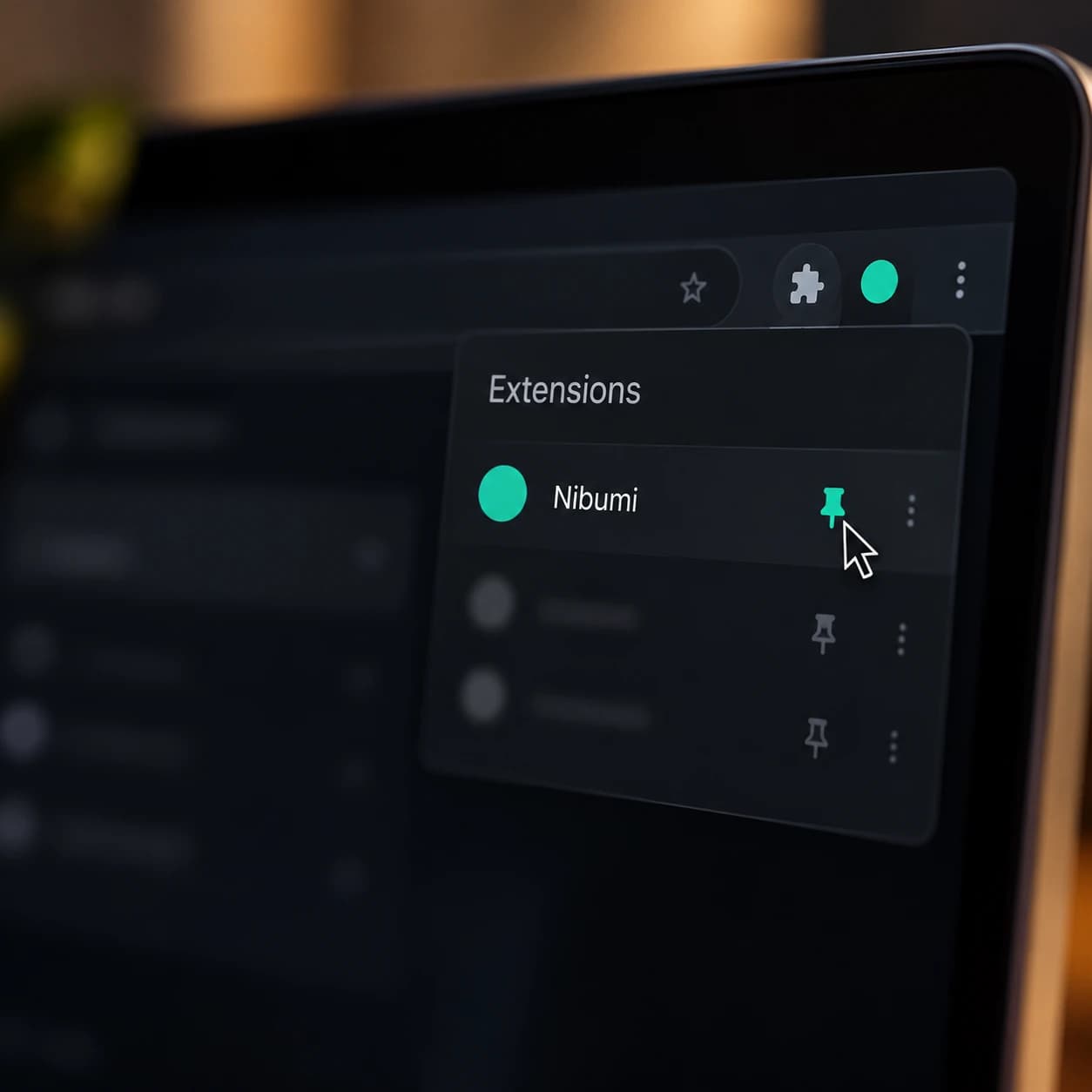
Set up in four steps
- 01
Add to Chrome
Click the button and confirm in the Chrome Web Store.
- 02
Pin Nibumi
Click the puzzle icon in Chrome's toolbar and pin Nibumi.
- 03
Connect your account
Sign in once; Nibumi opens a page to connect automatically.
- 04
Start writing
Open Gmail or LinkedIn and look for the Nibumi button in the text box.
Works now
- Gmail (compose, reply)
- LinkedIn (messages, posts, comments)
- Most website text boxes and editors
Coming later
- Google Docs
- Outlook web
- Slack
- WhatsApp Web
Keyboard shortcuts
- Open floating toolbar on selection
- Ctrl/Cmd + Shift + K
- Pause / resume Nibumi on this site
- Ctrl/Cmd + Shift + P
- Insert snippet
- Type / + shortcut in a field
| Permission (as Chrome shows it) | Why Nibumi needs it |
|---|---|
| Read and change data on websites you visit | To check the text you're typing and insert your accepted fixes. Nibumi only reads the box you're typing in or text you select. |
| Storage | To remember your settings, like mode and paused websites. |
| Side panel | To show longer rewrites and reply drafts next to the page. |
You can pause Nibumi or turn it off for any website from the extension menu.
Testimonials
Loved by people who write a lot.
Priya Sharma
@priya.sharma · Product manager · Bengaluru
Every other tool made my emails sound like a press release. Nibumi fixes the typos and still sounds like me. My team didn't even notice I'd started using it.
Oct 14, 2026

Arjun Mehta
@arjun.mehta · Customer support lead · Pune
"What should I say next?" is my favourite button. An angry customer email used to take me 15 minutes. Now I pick a strategy, tweak one line and send.
Oct 9, 2026

Neha Gupta
@neha.gupta · Operations associate · Delhi
I think in Hinglish and type in Hinglish. Nibumi turns it into polite, professional English without losing the respect. Messages to my manager finally sound right.
Oct 2, 2026
Daniel Okafor
@daniel.okafor · Freelance designer · Lagos
I paid for a premium writing tool for two years. Nibumi does more for a third of the price. The yearly plan was an easy decision.
Sep 28, 2026

Sara Lindqvist
@sara.lindqvist · Content strategist · Stockholm
Silent mode is underrated. No red squiggles while I draft, help only when I ask. Finally a writing tool that respects my focus.
Sep 25, 2026
Kenji Watanabe
@kenji.w · Engineering manager · Tokyo
It caught that my email said Tuesday in one line and Wednesday in another. Saved me from a very awkward client call.
Oct 7, 2026

Marcus Bell
@marcus.bell · Startup founder · Austin
Grammar, tone, rewrites: all the basics are there and fast. But Reply Copilot is the reason I switched. It thinks about what to say, not just how to spell it.
Oct 12, 2026
Rahul Verma
@rahul.verma · Sales manager · Mumbai
On the metro I select a client's message and tap Reply positively. Ten seconds, done, and it still reads like a person wrote it.
Oct 11, 2026

Ananya Iyer
@ananya.iyer · MBA student · Chennai
Teach me why is like having a writing tutor on call. I stopped making the same comma mistakes in about two weeks.
Sep 30, 2026

Fatima Khan
@fatima.khan · HR executive · Hyderabad
I write notices in English and formal Hindi. One click gives me both versions, and the Hindi reads like it was written by a native speaker.
Sep 22, 2026

Lucas Moreau
@lucas.moreau · Account manager · Paris
It works right inside Gmail and LinkedIn. I installed it, pinned it, and forgot it was there until the moment I needed it.
Oct 5, 2026

Omar Haddad
@omar.haddad · Customer success · Dubai
The pre-send check told me my follow-up sounded impatient. One small fix, and the client replied within the hour.
Oct 3, 2026
Emily Carter
@emily.carter · Teacher · Manchester
I write about students all day, so privacy matters. Nibumi only reads what I'm typing, and my text isn't used to train AI.
Sep 26, 2026

Vikram Singh
@vikram.singh · Recruiter · Gurugram
LinkedIn outreach in English, quick replies in Hinglish, offer letters in Hindi. One assistant for all three instead of three different tools.
Oct 15, 2026

Kavya Reddy
@kavya.writes · Freelance writer · Bengaluru
The one-month free trial with no card was enough to convince me. By week two, every client email went through Nibumi.
Sep 19, 2026
Nibumi vs Grammarly
More for a third of the price.
| Feature | Nibumi | Grammarly Pro |
|---|---|---|
| Monthly price | $10 / monthSave 67% | $30 / month |
| Quarterly price | $20 / quarterSave 67% | $60 / quarter |
| Yearly price | $70 / yearSave 51% | $144 / year |
| Free trial | 1 month, full access | Not offered |
| Grammar, spelling, tone, rewrites | Included | Included |
| Plagiarism & AI-content check | Included | Included |
| Learns and keeps your personal voice | Included | Not a core focus |
| Reply strategies ("What should I say next?") | Included | Not a core focus |
| Hinglish ↔ English / Hindi conversion | Included | Not a core focus |
| Silent / On-demand / Live modes | Included | Not a core focus |
| Consistency checker (dates, amounts, names) | Included | Not a core focus |
Grammarly Pro list prices in USD as published on grammarly.com, 2026. Grammarly is a trademark of its owner; Nibumi is not affiliated with Grammarly.
Pricing
Simple. Affordable.
One plan. Every feature. Pay monthly, quarterly or yearly.
1-month free trial · No card needed · Cancel anytime
Monthly
$10per month
Billed monthly
Everything included
- All grammar, spelling & tone fixes
- Personal Voice AI
- Reply Copilot & one-click replies
- Hinglish & multilingual
- Communication Coach
- Consistency Checker
- Plagiarism, AI-content check & citations
- Chrome extension + web app
1-month free trial · Cancel anytime
Quarterly
Save 33%$20per quarter
$6.67/month, billed every 3 months
Everything included
- All grammar, spelling & tone fixes
- Personal Voice AI
- Reply Copilot & one-click replies
- Hinglish & multilingual
- Communication Coach
- Consistency Checker
- Plagiarism, AI-content check & citations
- Chrome extension + web app
1-month free trial · Cancel anytime
Yearly
Most popular · Save 42%$70per year
$5.83/month, billed yearly
Everything included
- All grammar, spelling & tone fixes
- Personal Voice AI
- Reply Copilot & one-click replies
- Hinglish & multilingual
- Communication Coach
- Consistency Checker
- Plagiarism, AI-content check & citations
- Chrome extension + web app
1-month free trial · Cancel anytime
FAQ
Questions, answered.
- An AI writing assistant that fixes your writing, keeps your personal voice, suggests what to reply, and works in English, Hinglish and Hindi. It runs as a Chrome extension and a web app.
- Nibumi has all the core features you'd expect, plus Personal Voice AI, Reply Copilot, Hinglish conversion, a Communication Coach, one-click replies and a Consistency Checker, at $10 a month instead of $30.
- In Gmail, LinkedIn and most text boxes in Chrome, and in the Nibumi web editor. Google Docs support is coming later.
- English, Hindi and Hinglish (Hindi written in English letters). More mixed-language pairs are coming.
- Only the text you're typing, or text and threads you select. It never scans your inbox in the background.
- No. Your text is not used to train AI models.
- You get 1 month of full access with no card required. Pick a plan any time during the trial to keep using Nibumi.
- No. You only add payment details when you pick a plan.
- Choose a plan to keep using Nibumi. If you don't, AI features pause, but you can still log in and see your documents.
- No. Every plan includes every feature. Start with the 1-month free trial.
- Yes. Switch between monthly, quarterly and yearly from Billing at any time.
- Yes. Your bank may convert to your local currency.
- Prices shown don't include taxes, which may be added at checkout depending on your country.
- Yes. Cancel from Billing in one click. You keep access until the end of the period you've paid for.
- See our Refund Policy for details.
- Not yet. Team plans are planned for a later release.

Better writingthat sounds like you.
Start your 1-month free trial. No card needed.
1-month free trial · Cancel anytime